

VisualTesting
Interactive Test
Suppose the
teacher chooses to create a test on-the-fly.
Then, the Question window fields need to be filled out before a question
is submitted.
There are three
types of questions that can be created by the teacher: Multiple Choice, True or
False, and Short Answer.
The Test Num,
Question Num, Question Text, and Time are required fields.
Additionally, the following are required fields for the different
questions types:
Multiple Choice - any or all of the "Choices" fields, and "Answer" selected from the drop-down menu.
True or False
- "Answer" selected from the drop down menu.
Short Answer -
"Answer" text field filled in.
To attach a
picture to the question, click the "Attach Picture" button.
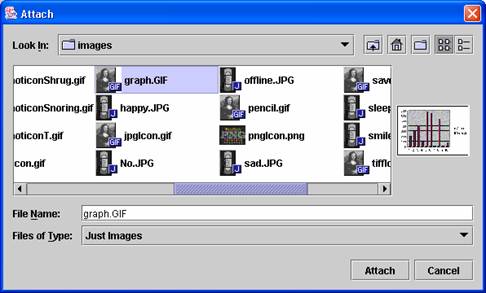
In the "File Upload" window that shows up, click the
"Open" button. You will
see a file selection window.
In this window only image files will be shown (.jpg, .gif, .tiff, .png).
Select the file you want to attach and click the "Attach" button.
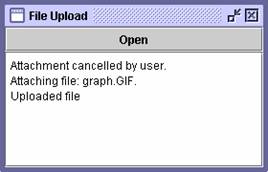
The "File Upload" window will display the status of the upload.