


We have implemented an experimental distributed multimedia system,
called the Active Multimedia System (AMS), based on the concept of transformation
among multimedia schemas and the object
exchange manager, as shown in Figure  .
The system is implemented in the X-Window environment on the SUN SPARCstation 5.
The object exchange manager is written in C++ programming language, while the
other modules are written in C programming language.
.
The system is implemented in the X-Window environment on the SUN SPARCstation 5.
The object exchange manager is written in C++ programming language, while the
other modules are written in C programming language.
On the top level of the system is an application window which provides an
integrated user interface for performing various tasks. Illustrated
in Figure is a screen dump of the application window.
The pull-down menus in the top portion of the window provide functionalities
for editing, attributes defining, playback, transformation, packing/unpacking
to/from object exchange format, transmission, etc.
When composing a multimedia object, the user can choose buttons in the left
panel of the window to create links and nodes for constructing the hypergraph
structure of the MSS.
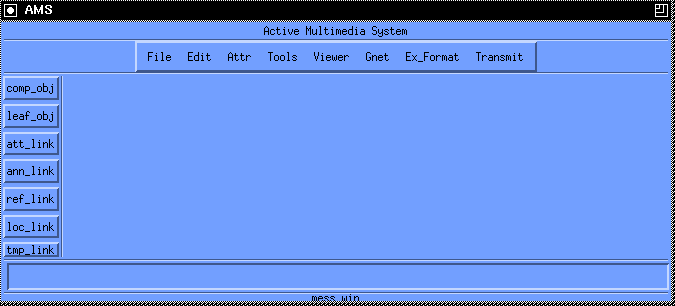
Figure: User interface window of the AMS system.

Figure: Example of creating a composite object and invoking transformation in
the AMS system.

Figure: A screen dump of multimedia objects playback in AMS.
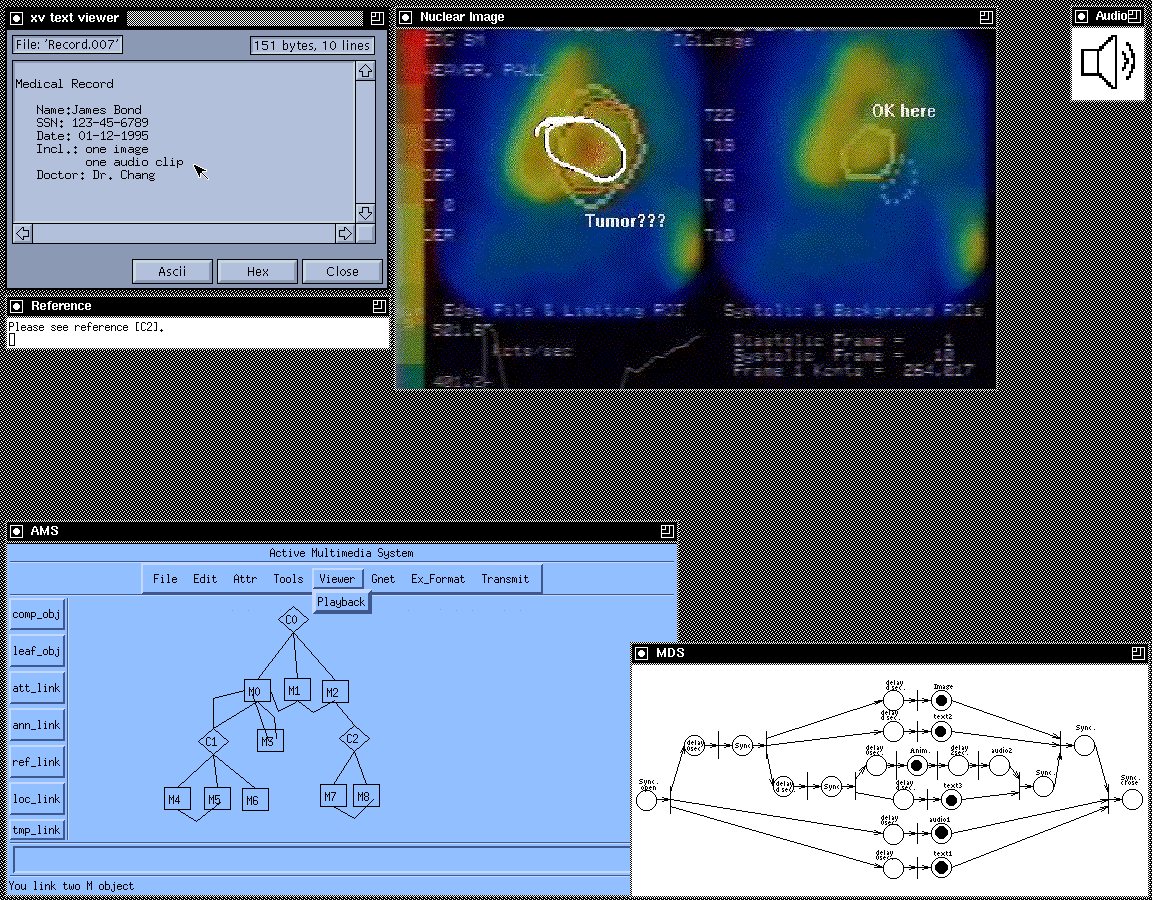
Figure: Another screen dump of multimedia objects playback in AMS.
Referring to the system structure shown in Figure , the steps of
a typical scenario to compose, view, send, and receive a composite
multimedia object in our system are as follows:
, a composite object C0
composed of basic objects M0, M1, and M2 is created.
A temporal link
defining the temporal relation between M0, M1, and M2 is created.
A location link and an annotation link
defining the spatial relation and the annotation between M0 and another
composite object C1 are also created, respectively. This hypergraph
structure corresponds to the one shown in Figure (a). the type of M0 as image and
M1 as audio as well as their
corresponding file names. For the temporal link linking M0, M1,
and M2, the temporal attribute is defined as co-begin., is
chosen to perform the transformation from MSS to MDS., a text, an image,
and an audio are displayed as there are tokens in their corresponding places.
The corresponding MDS is also shown at the lower right corner of the screen.
Later on, when tokens flow to , , and
,
two more texts (``Tumor???" and ``OK here.") and one animation (the freehand
circle) are displayed as the annotation of the image
as shown in Figure .
Note that a reference window with text ``Please see reference [C2]." is shown
on the screen despite the referenced object C2 is not a part of the MDS.), the MDS is transformed into MCS.