 The Page-Frame design is based on the idea of cooperating with
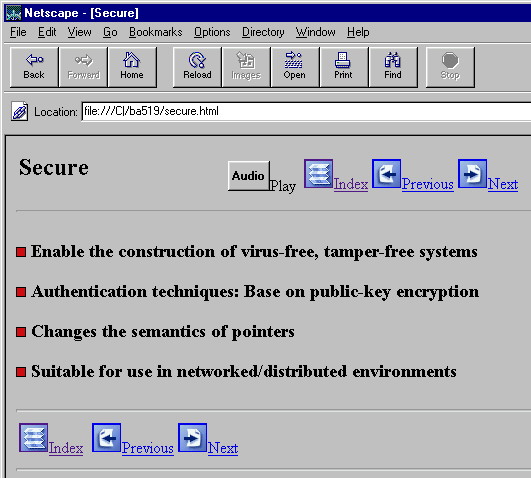
the function of the web browser to achieve easy navigation. For this purpose, four buttons are added to the beginning and
the end of the page as shown in Figure-java1.
They are:
The Page-Frame design is based on the idea of cooperating with
the function of the web browser to achieve easy navigation. For this purpose, four buttons are added to the beginning and
the end of the page as shown in Figure-java1.
They are:
|
|
|
|
The Audio-Play button enable the student to play the audio parts of the text in his own pace. The Index-Page button links to the index page of the course. The Previous_Page button links to the previous page of the text. The Next_Page button links to the next page of the text.
In general, pages are organized to four levels.
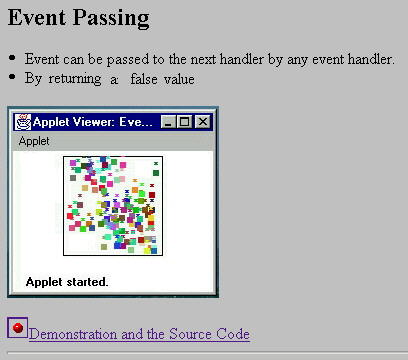
The exploration-page provides detailed description, explanation, static graphics, screen dumps, and links to the third level, the real-time demonstration, dynamic-page, as shown in Figure-java2.
 |
|
|
The dynamic-page demonstrates the execution of the program code on the fly. Side by side with the real-time demonstration is the links to the fourth level page: the source-page.
The source-page is the program source codes in its original format before compilation.
In certain time-oriented or event-oriented occasions,
student can get better understanding if
the page supplies two or more comparative results of different time or different
event on the same page at the same time. The multiple screen dumps of the
separate executions are carefully merged side by side to give
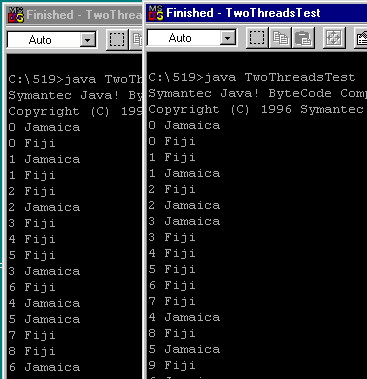
this kind of comparative view as shown in Figure-Java2.
In Figure-java2, a program called TwoThreadTest is executed twice.
The two screen dumps of the result are combined for comparative examination.
 |
|
|
The level-3 dynamic-page not only demonstrates the real-time execution of the
codes. In most of the cases, if the progress of the codes can be temporarily
suspended, student will be able to study the outcome for each suspension and
compare the result with the source code.
The suspension can be done by clicking the mouse button on the applet area
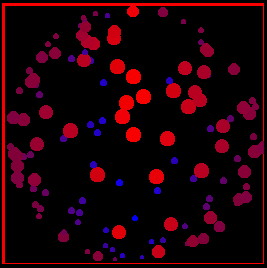
of the screen. For example, Figure java5 demonstrates
a rotating 3-D sphere representing by some randomly created oval dots with different
sizes, colors and phases. As the student suspends the screen temporarily,
he can have a better view of the details, and then resume the execution
as he wants.
 |
|
|