

Relational Index
Transcript
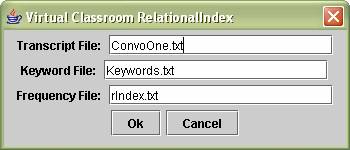
File:
If you choose not
to save a copy of your transcript in the current working directory, you must
then specify the absolute path to your transcript in the Transcript File text
box show below. If the file cannot be found, the Relational Index will exit.
Keyword
File:
It is also import
to have a Keywords.txt file containing all of the keywords you want indexed in
your transcript file present in the current working directory. If this file is
not in the current working directory, its absolute path must also be specified.
If the file cannot be found, the Relational Index will exit.
Frequency
File:
It is also import
to have any older frequency files in the present working directory if you wish
to have the older frequencies updated by the relational index for the new
transcript. If you wish to create a new frequency file, just specify a new
frequency file name in the text box. The file does not have to exist before
hand.
The output of the
current working directory.
Notice the
Keywords.txt keyword file, ConvoOne.txt transcript file, and the rIndex.txt
Frequency File.

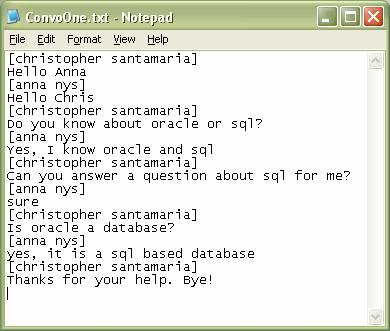
The contents of
the transcript file from the conversation mentioned above.
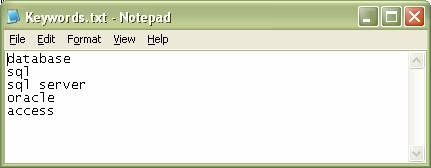
The contents of
the Keywords.txt file Keyword File mentioned above
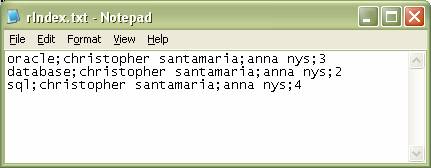
The contents of
the rIndex.txt Frequency File mentioned above.
Keyword
File Format:
<keyword>
<keyword>
…
Frequency
File Format:
<keyword>;<Username>;+<frequency
count>
The Frequency File will be also saved in XML format:
