

Grade Book
Save
To export a grade book as a Comma Separated Value file (.csv), click the "Save" button.
Enter the name of the file with .csv extension.
–These files can easily be opened in Excel or even a simple text editor in order to modify or do calculations on the data.
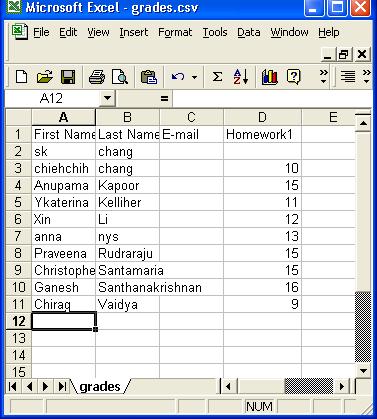
Open
To load a previously saved grade book in Comma Separated Value file, click the "Open" button.
In the File Open window, select the .csv file you would like to import into Grade Book.
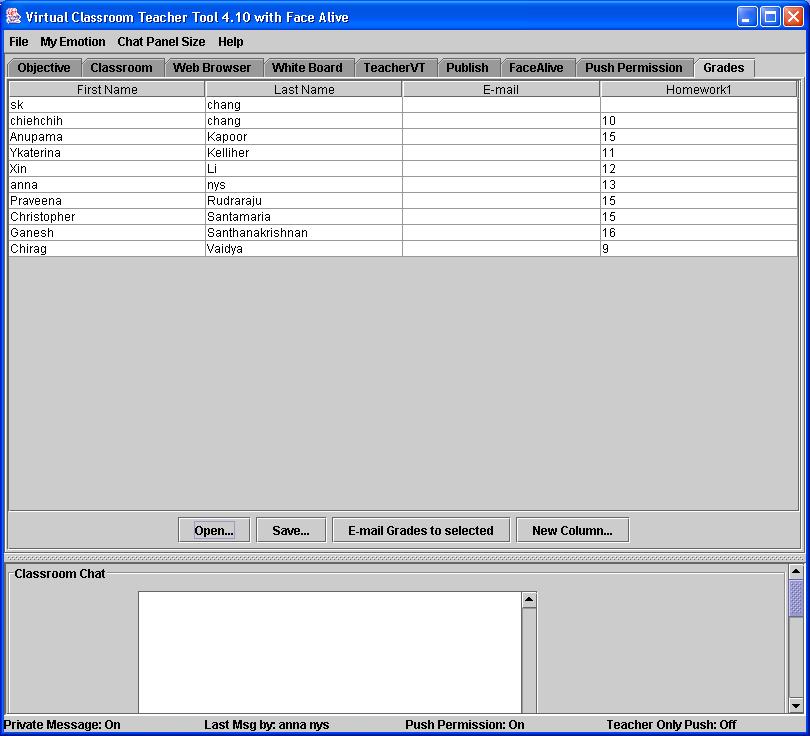
Online Test Results
Visual Testing module sends messages to the Grade Book to add new grades after students complete an online test. A new column with the test's name is added to the grade book along with the students' scores. You may now export the grade book in .csv format.
Email Grades
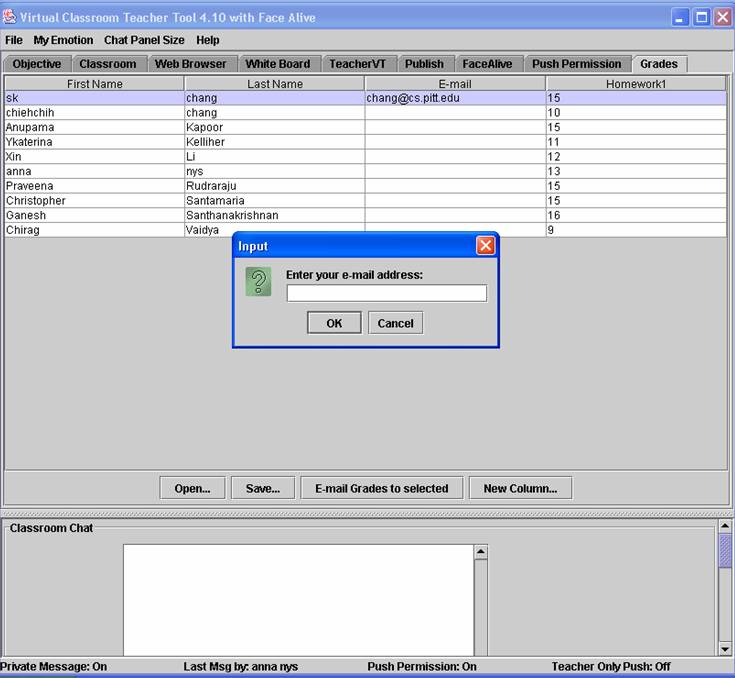
Grades can be sent to selected students by clicking the "E-mail Grades to Selected" button.
Enter the recepient's email address in the grade book in the "E-mail" column.
In the pop-up window, enter your e-mail address.
Each e-mail is in the following format:
{CLASS,FIRST_NAME,LAST_NAME,E-MAIL,scores}